
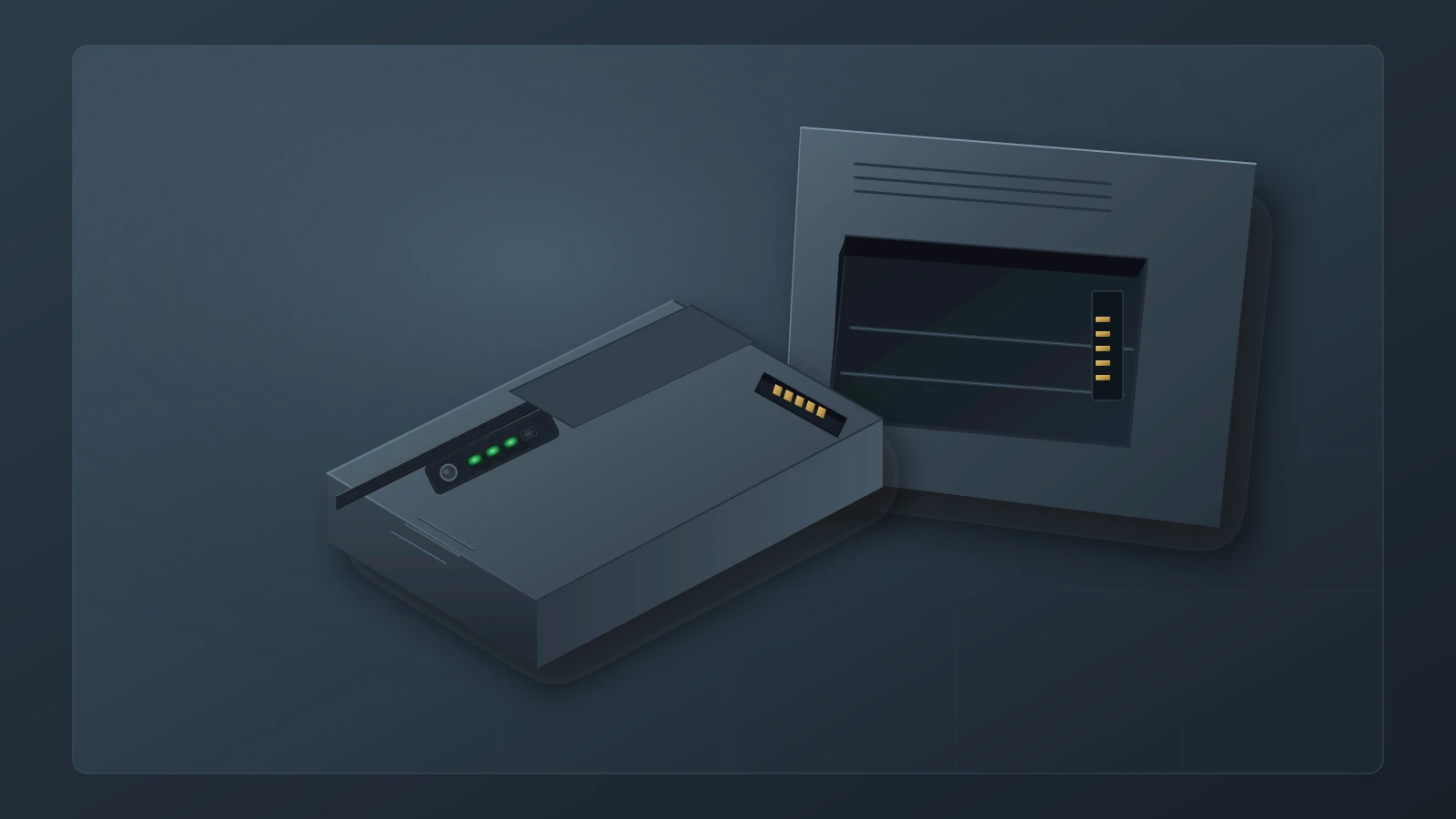
A maintenance message followed by a short runtime
Consider a monitor that displays a maintenance symbol, then switches off within minutes of being unplugged. Keep it out of transport service while clinical engineering investigates, and arrange an alternative monitor through the clinical team. A charging light is insufficient evidence to release this device. Capture the message, battery identity and status values before deciding whether to condition, replace or investigate the monitor itself.
Conditioning can improve the accuracy of reported charge and estimated operating time. It cannot recover capacity permanently lost through aging. The useful question is whether the pack needs its gauge recalibrated, has reached a documented replacement condition, or is failing to communicate with the monitor. More than one problem can exist. A cleared maintenance symbol does not, by itself, demonstrate acceptable battery operation.
The examples below use specific documents: Philips MP20/30 Release C.0, Philips MX100/X3 IFU 453564830811, GE Dash software-version-7 manual 2000966-542D, and B650 maintenance chapter 2062973-002. These include historical revisions. Confirm the documentation applicable to the actual model, software and battery before service. The GE files are manufacturer-document copies hosted by US Med-Equip and Prescott’s, respectively. They are not GE-hosted web publications.
Read charge, capacity and estimated time separately
Start with the distinction between the amount a battery can hold and the amount left in it now. The B650 chapter defines three capacity terms, while the MX100/X3 IFU explains that its remaining-capacity indication is relative to the battery’s actual maximum, which can decline with age. See B650 section 10.4, page 133 and MX100/X3 battery indicators, pages 274–275.
Design capacity is the capacity associated with the battery when new. It provides the comparison point for loss of capacity over time.
Full-charge capacity describes what the battery can currently hold and deliver. A pack can be fully charged while this capacity is substantially below its original value.
Remaining charge describes how much of the current full-charge capacity is available now. A high percentage is not a statement that the battery retains that percentage of its as-new capacity.
A reading of 100% therefore answers “how full is the available reservoir?” It does not answer “how large is the reservoir?” Compare the reported capacities where the model exposes them, then assess operation using the applicable test and acceptance criteria. Do not substitute a fleet-wide capacity percentage for a manufacturer’s replacement message or an approved runtime requirement.
The MP20/30 guide describes access to battery status through Main Setup and the battery selection. Its individual-battery information includes an estimate of reporting uncertainty called Max Error. Partial cycles can increase that uncertainty; the guide gives 2% as the minimum value after conditioning. That value is a reporting-accuracy measure, not a retirement threshold or a target percentage of battery health. The same guide cautions that time estimates can be unreliable while conditioning is requested. See MP20/30 pages 49–52.
On the B650, Monitor Setup, Battery Status and Advanced provide the charge-status route described in the chapter. Do not assume every model exposes identical fields. Record what is actually available, including units and the exact message, rather than inventing a missing value. An estimated time-to-empty also depends on workload: the MX100/X3 IFU identifies display brightness and measurements as influences.
Use the message to choose the next action
| Documented example | Meaning supported by that document | Service decision |
|---|---|---|
| Philips MP20/30: maintenance symbol | The battery requests conditioning; time estimates may be inaccurate. | Use the applicable conditioning procedure on equipment removed from patient monitoring. |
| Philips MP20/30: incompatibility INOP | The battery may be unsuitable, or communication with the battery board may be impaired. | Verify the specified battery and escalate a persistent communication fault; an alert alone does not prove a counterfeit pack. |
| Philips MX100/X3: missing-battery INOP | An internal battery must be inserted during patient monitoring, including operation on external power. | Restore the documented battery configuration before clinical use. |
| GE B650: “Condition monitor battery” | The gauge needs the conditioning process described in section 10.4.5. | Complete that model’s documented sequence and repeat rule; replace if the problem persists as specified. |
| GE B650: “Replace monitor battery” | The manual associates this message with substantial loss of capacity relative to new. | Replace according to the applicable installation instructions. |
| GE B650: “Battery failure” | The manual directs replacement. | Follow replacement guidance; the message does not identify a specific cell or circuit fault. |
The table summarizes decisions, not complete service procedures. Its source locations are MP20/30 pages 47–52 and 67, MX100/X3 page 273 and B650 pages 133–134. Do not transfer the B650 persistence rule to another manufacturer’s maintenance message.
flowchart TD
  A["Short runtime or battery message"] --> B["Hold from transport use and record status"]
  B --> C{"Applicable model guidance"}
  C -->|Conditioning request| D["Use documented conditioning and repeat rule"]
  C -->|Replacement instruction| E["Verify compatible replacement pack"]
  C -->|Communication fault or unclear result| F["Qualified diagnosis before release"]
  D --> G["Reassess messages and battery operation"]
  G -->|Replacement indicated| E
  G -->|Acceptable result| H["Complete checkout and record acceptance evidence"]
  E --> H
  F -->|Fault resolved| H
  H --> I{"All applicable criteria met?"}
  I -->|Yes| J["Authorized clinical handoff"]
  I -->|No| K["Continue service hold"]
E --> L["Arrange removed-pack waste and transport route"]What conditioning can establish
The Philips MP20/30 explanation connects conditioning to accurate capacity reporting and appropriately timed low-battery warnings. GE describes recalibration of the electronic gauge and permanent capacity loss with aging. Those descriptions support recalibration, but do not establish the detailed cell chemistry, current-sensor design or failure mechanism inside a particular returned pack. Avoid diagnosing those mechanisms from a maintenance icon.
Intervals and tools also differ. The Dash manual calls for six-month conditioning and describes the Cadex SMart Two+ external charger as already unavailable for new purchase in that manual revision. Its external conditioning cycle is approximately nine hours; this is not a duration for every monitor or method. The Philips examples instead use a status-requested process. Plan downtime using the applicable procedure and equipment. See Dash pages 2-36 and 5-11.
The older MP20/30 guide names M8043A for external conditioning. The MX100/X3 IFU names 865432, previously M8043A, and requires a size adapter for its internal battery. Keep those references attached to their document and battery family. A later accessory name is not sufficient evidence that an arbitrary charger or adapter supports every older pack.
The B650 sequence in section 10.4.5 uses two full discharge/recharge passes, then directs a repeat of conditioning if the message remains and replacement if the problem persists. Record the outcome at that stopping point. Use that rule only for the specified model. On Dash, an apparently dormant battery is a qualified-service diagnostic case; use the manufacturer’s service process rather than applying external current to a pack.
Confirm battery identity before ordering
The MP20/30 Release C.0 guide specifies M4605A. The MX100/X3 IFU identifies its internal pack as 453564526811 and lists commercial ordering code 989803196521; these identifiers should not be substituted across families. The same IFU’s accessory table distinguishes the internal battery from the Battery Extension and lists adapter 453564658631 for the conditioner. Confirm any supersession through the documentation for the unit being serviced. See MP20/30 page 48 and MX100/X3 pages 273, 277 and 308.
Physical fit or a seller’s capacity claim is insufficient evidence of compatibility. The Dash manual warns that non-recommended packs will not charge or condition in the monitor. Conversely, a Philips incompatibility message can also reflect a communication problem involving the monitor. Record the installed part and the observed response before attributing the problem to a supplier. For the broader component-change decision, see replacement-parts compatibility and remanufacturing risk.
At receiving, compare the specified identity with the delivered pack and retain available lot, serial and rating information. Record Watt-hour markings as part of that evidence. Neither a marking nor a successful physical insertion proves authenticity, compatibility or transport compliance. Resolve an unexplained identity or labeling discrepancy with the supplier and responsible staff before acceptance.
Document checkout and operating performance
The B650 corrective-maintenance table on page 127 calls for visual inspection and the section 10.3.1 startup check after replacement of the monitor battery. The excerpt points onward to the installation-checkout chapter for the actual startup procedure; it is not a complete substitute for that chapter. The Dash battery-replacement section calls for checking the displayed battery identifiers and the relevant LEDs. Use the requirements that apply to the work actually performed. See B650 corrective-maintenance table and Dash page 5-15.
A charge indicator has a narrower purpose than a capacity or operating-time check. In the B650 example, four on-pack LEDs mean charge remaining is between 75% and 100% of the pack’s current full-charge capacity. They do not mean that the pack retains that proportion of its original capacity. Likewise, the Philips MX100/X3 green indicator on external power corresponds to charge above 90%; avoid treating green as a universal definition of fully charged or fit for transport.
For the short-runtime complaint, a useful local verification record also includes measured battery operation under a defined, approved test load. This is a service-program recommendation, not a claim that every cited manual mandates an identical timed test. Use the manufacturer’s applicable method and acceptance criteria, together with the facility’s authorized operational requirements. Record the configuration, starting charge, endpoint and observed duration so another technician can interpret the result.
Use the model’s acceptance limits and the facility’s approved operational requirements. Check the model’s age or cycle replacement guidance as well as any conditioning request. If the required checkout passes but the original complaint remains unexplained, keep the service hold and investigate further. For the separate alarm-verification scope, use patient monitor alarm verification after service; a battery test does not stand in for all monitor alarm checks.
Keep storage rules attached to the model
Idle fleets need a storage plan as well as an installation record. The MX100/X3 IFU warns that reported charge and runtime can become less accurate after several weeks stored installed without a powered connection. Its storage guidance uses a 20–40% charge range. In contrast, the Dash manual describes conditioning to full before storage, and the B650 chapter recommends storage outside the device at 20–25 °C. These are product-specific instructions, not interchangeable fleet rules. See MX100/X3 page 278, Dash page 5-12 and B650 page 133.
Record which storage instruction applies, the battery’s location and the next check due under that instruction. Before redeployment, assess the battery using the appropriate charging and verification process. Do not assume a previously recorded charge or runtime remains valid after prolonged storage. Keep heat exposure within the applicable manufacturer limits and distinguish a storage problem from a new charging fault.
Arrange the removed pack’s waste and transport route
The following is a United States example. Other jurisdictions require their own waste and transport decisions. EPA says businesses are responsible for determining whether their discarded lithium-ion batteries are hazardous waste; most are likely to qualify. It recommends considering management under the federal universal-waste system, with consultation of the relevant state agency. That recommendation is not a statement that universal-waste handling is the sole lawful option for every facility. See EPA’s business guidance.
Use the facility’s environmental program to establish the collection location, labeling and accumulation controls, and an accepting recycler or permitted destination. Keep batteries out of ordinary trash and municipal recycling. For intact packs, EPA advises separate bagging and insulating terminals with nonconductive tape. A damaged pack needs manufacturer-specific handling advice; do not assume the routine collection method is sufficient.
Waste management and shipment are separate decisions. EPA explains that lithium batteries in commercial transport are subject to DOT hazardous-material requirements, including packaging, communication and staff training. Identify swelling, damage or a safety recall before handing a pack to the shipping team or recycler. Confirm that the recipient accepts its condition and that trained shipping staff have selected the appropriate transport route.
The cited 2024 edition of 49 CFR 173.185 provides historical regulatory context, including a distinct provision for damaged or safety-defective batteries. It is not a current packing checklist. Have trained staff confirm the current rule and carrier requirements before dispatch; this article does not authorize a shipment. Do not infer that an electrically worn pack and a safety-defective pack automatically have the same shipping classification.
Make the handoff record explain the decision
The following template is a recommended service record, not a promise of accreditation or legal compliance. Tie the battery evidence to the monitor’s inventory identity and document who authorized release. A future technician should be able to see why conditioning or replacement was selected, what changed, what was tested and where the removed pack went.
| Record field | Evidence to retain | What it explains |
|---|---|---|
| Monitor and instructions | Asset ID, model, serial, relevant software and manual revision | Which device and service criteria the decision covers. |
| Incoming battery state | Pack identity, messages, charge and capacity fields actually available | Why the technician selected conditioning, replacement or further diagnosis. |
| Service action | Applicable method, conditioning result or replacement identity, equipment used | What was done and whether the original message persisted. |
| Checkout | Required checks, results and unresolved faults | Whether the manufacturer-specific work was verified. |
| Operating-time evidence | Approved test configuration, starting state, endpoint, measured time and acceptance basis | How the short-runtime complaint was assessed; the result is limited to those conditions. |
| Removed-pack disposition | Condition, collection destination, responsible handler and receipt when available | How environmental and shipping responsibilities were handed over. |
| Release or hold | Technician, authorized decision, date and any restrictions | Who accepted the evidence or kept the monitor out of service. |
Use the site’s medical equipment service-record guide for the wider work-order structure. Close the battery task only when the evidence supports the applicable release criteria; a new pack and a cleared icon alone do not explain a short-runtime failure.