
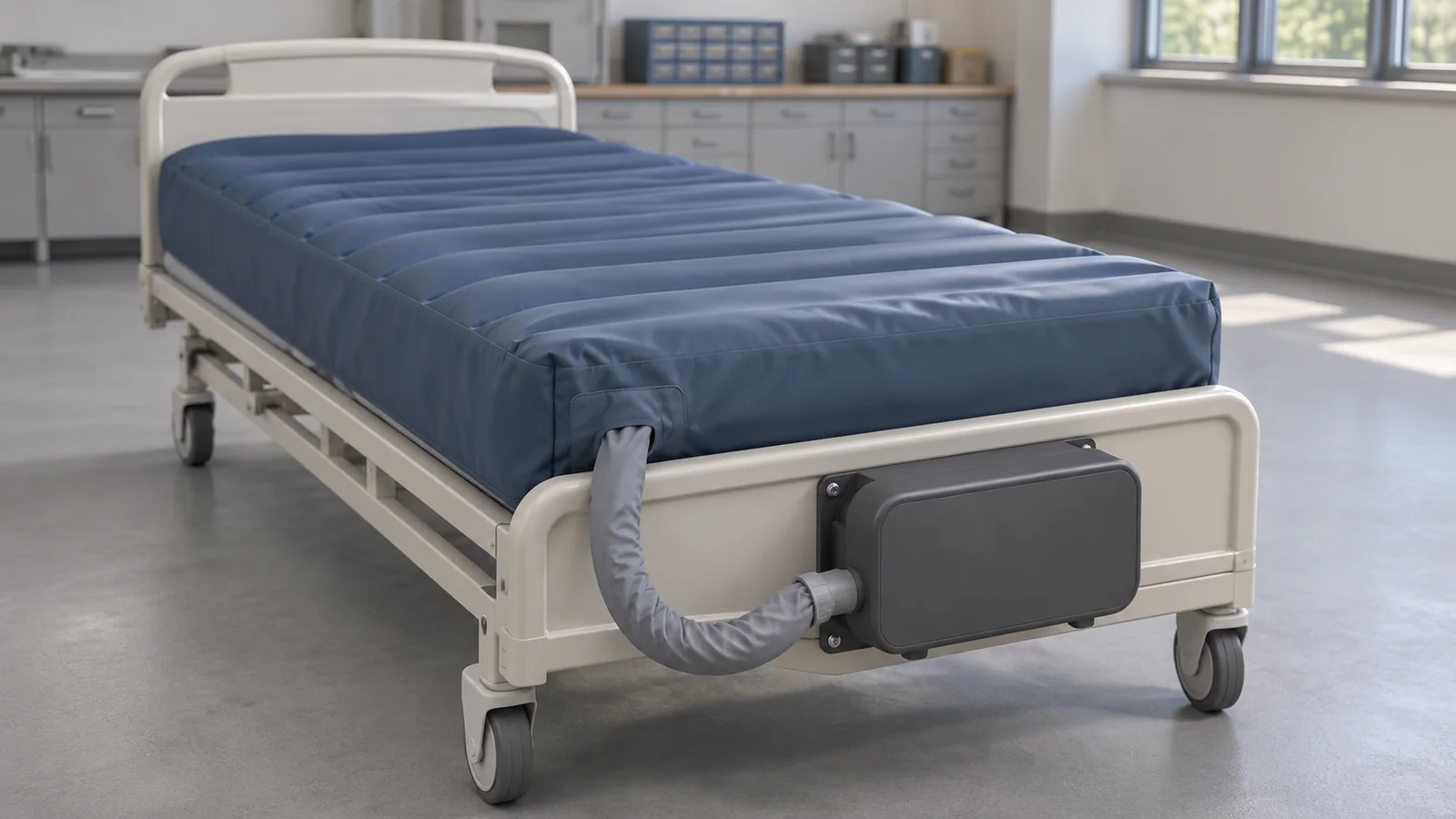
When an IsoAir 2940 pressure alarm comes with a report that the mattress went soft, start by recording the pump and mattress model and serial numbers separately. Then record the exact indicator, operating mode, time of onset, and what someone actually saw at the hose and CPR connector. If qualified service tested an assembly, ask which pump and mattress were connected during the test and where each channel label came from. Keep the cause open until the evidence identifies it. 2940 Operation/Maintenance Manual, pp. 18–20 and 29–32. 2940 Service Manual, pp. 76–79 and 135–137.
The mattress can be the original 2940 surface or the 2941-001-100 replacement described in Stryker’s kit instructions. That distinction changes which documents cover the surface and how pump labels correspond to mattress cells. For an active equipment concern, follow facility escalation and equipment disposition procedures. Reserve service for qualified personnel and keep the equipment out of patient use during service. Replacement kit instructions, pp. 1 and 17. 2940 Service Manual, pp. 12, 15 and 19.
Match the pump and mattress to their documentation
Use the equipment labels to verify each model and serial number and link each to its facility asset ID where assigned. Capture the pair present when the alarm occurred. If either component has since been exchanged, record the later pair and the time of the change separately. A ticket opened under the bed frame alone leaves the reviewer guessing which pump and surface the report describes. 2940 Service Manual, pp. 6 and 10–11.
| Configuration on the work order | Documentation to check | Scope to preserve |
|---|---|---|
| 2940 pump and original 2940 mattress | 2940 technical product index and AO-SM-70-SR Rev 1.0 | Confirm the applicable manual revision and mattress variant before interpreting a legacy functional-test result. |
| 2940 pump and 2941-001-100 replacement mattress | 2941-009-020 Rev AA.2 and the companion AO-SM-70-INT operations manual named in the insert | The kit covers this replacement pairing. Obtain applicable service documentation for the replacement surface. Stryker excludes 2940 manuals from servicing it. |
| Complete 2941 IsoAir system | 2941 technical product index | Use the 2941 system’s own operating and maintenance documentation. |
Keep the bed frame model and asset ID linked as setup context. Frame fit, how the surface is secured, and where the pump and hose were positioned can matter to the handoff. If the frame has a separate safety concern, link the frame work order and keep its disposition visible alongside the pneumatic finding. Replacement kit instructions, pp. 1 and 7–13. See also the hospital bed frame checks.
Map the alarm to the hose, CPR connector, and mattress
Stryker describes the 2940 pressure indicator as a signal that actual pressure is outside the specified range. The US operations manual names leakage and a kinked hose as typical explanations. For the documented replacement pair, the kit lists a poor CPR connection, a hose-to-fitting connection problem, or a hole in an air cell or hose as possible causes. Record which indicator was seen, whether it was blinking, and any audible alarm or other message that was reported. Include the mode and whether the symptom began during startup, after a mode change, or during operation, when that timing is known. 2940 Operation/Maintenance Manual, pp. 18–20 and 29–32. Replacement kit instructions, p. 17.
flowchart TB
  accTitle: IsoAir pressure alarm evidence map
  accDescr: Record the pump and mattress independently. Link the mattress hose to the pump at the CPR connector, the bed frame as setup context, and the qualified service report as test evidence.
  Surface["Mattress model and serial"] --- Hose["Built-in hose and fitting observations"]
  Hose --- CPR["CPR connector seating or release observation"]
  CPR --- Pump["Pump model and serial, indicator and mode"]
  Surface -.-> Frame["Linked frame asset and setup"]
  Pump -.-> Service["Qualified-service report"]
Surface -.-> ServiceKeep the reporter’s words beside the observation or report that supports each entry. The work-order fields below can be copied into a service request and completed as evidence becomes available.
| Work-order field | Evidence to enter |
|---|---|
| Reported symptom | Reporter role, date and time, symptom in the reporter’s own words, and whether the installed pair was still in place when the report was logged. |
| Observed pump state | Exact indicator, blink or audible state if known, displayed message or label if present, operating mode, and whether the signal was observed by service staff or reported by someone else. |
| Observed hose or fitting condition | Location and visible condition of the external hose or fitting, including any observed kink or damage. Attribute any reported sound or suspected leak to its observer and location. |
| Observed CPR connector condition | Record the apparent connection condition and any reported difficulty releasing the connector as separate observations. Link any serial-specific correction record. |
| Qualified-service evidence | Attach the dated report. Capture the tested assembly, counterpart, applicable procedure, finding by channel or location, and any unresolved condition. |
For example, “hissing reported near the CPR connector” belongs in the observation field with its source and location. If a servicer confirms a leak at a particular interface, record that finding with the test setup and report reference. Keep any connector release concern open as a separate item. FDA recall Z-3015-2020 addressed difficulty removing the CPR connector on listed 2941-001-100 serials and was terminated on April 2, 2021. For a potentially affected unit, refer the actual serial and local correction records to the recall lead or qualified reviewer. FDA enforcement record Z-3015-2020. See also recall follow-up for clinical engineering.
Read service results by assembly and channel
Start with the name of the assembly under test. The legacy 2940 service manual’s final pump functional test lists a known-good IsoAir mattress. Its final mattress functional test lists a known-good IsoAir pump. In both cases, ask for the model and serial or traceable identifier of the reference counterpart. The result covers the assembly under test in that documented configuration. The reviewer still needs to establish how the result applies to the pump and mattress intended for use together. 2940 Service Manual, pp. 76–79 and 135–137.
Keep the pump label and mattress label together
For the 2940 pump used with the 2941-001-100 replacement mattress, Stryker identifies reversed A and B labels. Preserve the verbatim label from the source report in one field and the corresponding air cell group in a second field. Apply this crosswalk only after verifying that exact pair. 2941-009-020 Rev AA.2, p. 17, Fig. 16.
| 2940 pump circuit | 2941-001-100 mattress air cells |
|---|---|
| A | B |
| B | A |
Suppose a worksheet says “A lost pressure” and gives no mattress model. Ask whether A came from the pump display or the mattress designation, which assembly was under test, and which counterpart was attached. If the specified mixed pair is confirmed and A was the pump circuit, it maps to mattress cells B. To attribute the finding to a particular cell, fitting, or hose, the reviewer still needs the service report’s finding for that component.
Keep the timed leak result separate from the hose-routing result
For the original 2940 mattress, the legacy manual records initial and final pump-displayed pressures for Zone A, Zone B, and the bolster in a timed leak test. It gives the hose-routing test a separate result. Request the applicable manual and revision, the servicer’s test setup and conditions, the elapsed interval and units, the reading source, and the servicer’s disposition. Keep the acceptance criterion with the exact manufacturer test and configuration cited in the report. AO-SM-70-SR Rev 1.0, pp. 136–137.
Use one worksheet row per reported channel. Copy the values and units from the report and identify whether each value is a pump-displayed diagnostic reading or an external instrument reading. If the service report also lists a setting or setpoint, keep it in the setup field. Request the instrument ID when the report relies on an external measurement.
| Record field | Entry from the qualified-service report |
|---|---|
| Test setup | Assembly and counterpart IDs ___ · procedure and revision ___ · mode or conditions ___ · elapsed interval ___ · reading source or instrument ID ___ |
| Zone A | Verbatim label ___ · label source ___ · initial ___ · final ___ · units ___ · reported drop and disposition ___ |
| Zone B | Verbatim label ___ · label source ___ · initial ___ · final ___ · units ___ · reported drop and disposition ___ |
| Bolster | Verbatim label ___ · label source ___ · initial ___ · final ___ · units ___ · reported drop and disposition ___ |
| Separate hose-routing result | Applicable procedure ___ · result ___ · report reference or outstanding item ___ |
Record failed, untested, and unknown items explicitly. “Untested” means the report identifies a check as omitted. Use “unknown” when the report leaves the coverage unclear. Attach the source report so the reviewer can see which findings came from the same setup and which came from a different test.
Decide what evidence is still needed before release
At handoff, name the intended pump, mattress, and linked frame. For each gap, assign a person to obtain the missing evidence and record who can approve the equipment disposition under facility policy. If the applicable manufacturer verification is incomplete or failed, keep the case open and route it to qualified service. The legacy manual directs failed functional tests to Stryker Customer Service. 2940 Service Manual, pp. 76 and 135.
Pairing is unknown. Ask the equipment owner to confirm the models and serials of the incident pair and the intended pair. Ask the service lead to confirm which documentation applies.
The alarm was not reproduced. Record the conditions and equipment used for that attempt. Ask the qualified reviewer what additional verification the original mode, timing, and reported symptom warrant.
An apparent leak or connector release concern remains. Ask for the applicable qualified finding by interface, hose, or cell group and check the unit’s correction history when relevant. Keep the disposition for each concern explicit.
A counterpart is missing from the report, or a different pair was tested. Ask the servicer to identify the test pair and what was verified. Have the release reviewer establish what verification is still required for the installed combination.
The completed work order should let another technician identify the pair involved, reconstruct the observed symptom, and see which assembly and channels the test results cover. Link the source records, sign-off, and disposition in the equipment service record. If corrective work triggers further verification, document the scope and decision under facility policy. See also the guide to return-to-service testing after corrective work.